
Switching to PowerShel 5.1 in Visual Studio Code
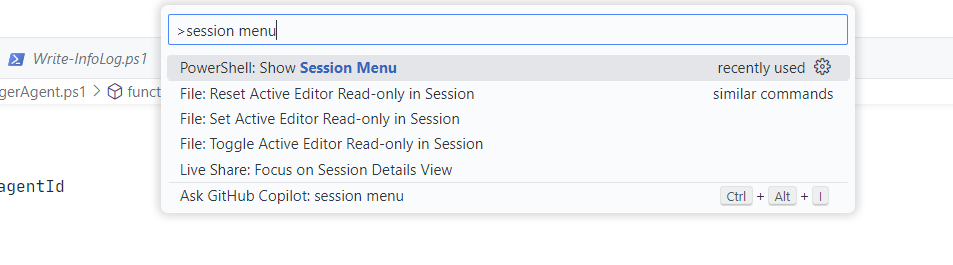
In previsou versions of VS Code, there used to be button for switching PS version, but for whatever reason, they removed it. In order to switch PS Version in current version of VS Code, you need to press CTRL+SHIFT+P, then type in session menu and select PowerShell: Show Session Menu.
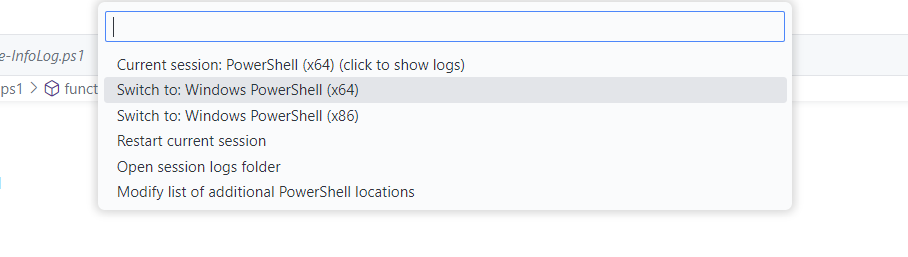
In next dialog select your desired PowerShell version, e.g. Sindows Powershell (x64).
That’s it, now you can debug your PowerShell scripts using older PS versions.